GuavaHost
Language & currency
Client AreaGame Panel Toggle navigation
Games All Games
Minecraft JavaMinecraft BedrockMinecraft GeyserRustRuneScape: DragonwildsPalworldValheimValheim + BepInExARK: Survival EvolvedARK: Survival AscendedProject ZomboidEnshroudedDon't Starve Together7 Days to DieCounter-Strike 2TerrariatModLoaderHytaleMulti-Game ServerDiscord Bot Hosting
Navigation PricingReviewsHelp CenterSupport Company About UsFAQRefer to earnSLATerms of ServicePrivacy Policy
Language & currency
Client AreaGame Panel
HomeGames 7 Days to Die
7 Days to Die
Survival

7 Days to Die

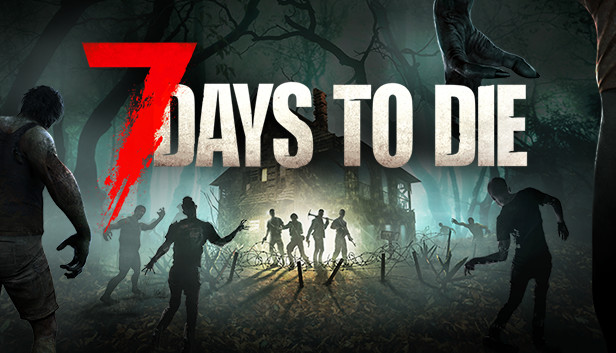
7 Days to Die Server Hosting

Host your own 7 Days to Die dedicated server with 8GB of RAM from the start, every setting editable from the panel, and the four game ports it needs configured before you ever log in. Instant setup, DDoS protection and NVMe storage.

Instant setup
DDoS protected
99.9% uptime
24/7 support

About 7 Days to Die server hosting

7 Days to Die rewards a base you keep coming back to, and that only works if the world is still standing when you are not. A dedicated server keeps your map, your builds and your blood moon count going whether anyone is online or not, and nobody has to leave their game running for the rest of the group. Ours starts at 8GB, which is what the developers ask of the game itself, so a full eight-player server has room on day one and on day three hundred. Every setting in the server configuration is editable from the panel with real controls, and we keep them in a file of our own so a game update cannot reset your server name, your password or your world. The one thing most hosts get wrong here is the ports: the game quietly uses three more than the one you connect to, and a server missing them looks perfectly healthy and lets nobody in. Yours are set up before you see it.

Pick Sydney and your 7 Days to Die server runs in Australia, for low ping across Australia and New Zealand. Dallas and our European locations are there for everybody else, at the same price, and you can move a server between them yourself from the panel. Game server hosting in Australia has the ping figures and the full list.

Key Features

Ports Done Properly
The game listens on three ports beside the one you hand out. All four are yours from the start, which is why your friends can actually connect.
Every Setting, With Controls
Player count, world size, land claims, zombie counts, view distance and the rest, as real fields in the panel rather than a wall of XML.
Updates Keep Your Settings
Your configuration lives in a file the game cannot overwrite, so a patch day never resets your server name, password or world.
Players Tab
See who is online, kick, ban, whitelist and make admins, straight from the panel.
Global Locations
Servers in Dallas, Limburg, Gravelines, Warsaw and Sydney for low-latency play.
24/7 Support
Help with mods, world settings and crossplay whenever you need it.

What's Included

All Four Game Ports Configured
Settings Updates Cannot Wipe
Full serverconfig.xml Access
Players, Kicks and Bans From the Panel
Automatic World Backups
NVMe SSD Storage
DDoS Protection Included
Pterodactyl Control Panel

Common Questions

How much RAM does a 7 Days to Die server need?
Start at 8GB. The Fun Pimps publish no server formula at all, but they do ask 8GB of the game itself and 12GB for comfort, and a default 6144 world with a few players climbs past 4GB as the save ages. 8GB covers the standard eight-player server properly. Go to 12GB or 16GB for an overhaul mod like Darkness Falls, and 24GB for an overhaul with a full server on it. Adding RAM later keeps your world exactly as it is.
How many players can join?
Eight by default, and you can raise it. One thing to know before you do: a server stays visible to PlayStation and Xbox players only while it is set to eight slots or fewer with anti-cheat on, so if crossplay matters to your group, leave it at eight.
Can I install mods?
Yes, by uploading them. 7 Days to Die has no Steam Workshop and no mod store, so mods are folders you drop into Mods in the file manager and a restart. Mods that only change XML install on the server alone and your players need nothing. Mods with their own code need anti-cheat turned off and every player to install the same files, and that also means console players can no longer join.
Where do I change the difficulty and the loot?
Inside the game, then paste the result into the panel. Since the V3.0 update, difficulty, loot, XP, blood moons and the rest no longer live in the server file: you set them in the game's own Sandbox Options screen, which gives you a code. Paste that into the Sandbox code field on your Server settings page and restart. Everything else, from the server name to the land claim rules, is still a normal field in the panel.
View all FAQ

Guides for 7 Days to Die

Step-by-step help from the GuavaHost Help Center: setup, settings, mods and fixes.

Browse all 7 Days to Die guides

You might also like

Ready to start your 7 Days to Die server?

Instant setup. Enterprise hardware. 48-hour money-back guarantee.