
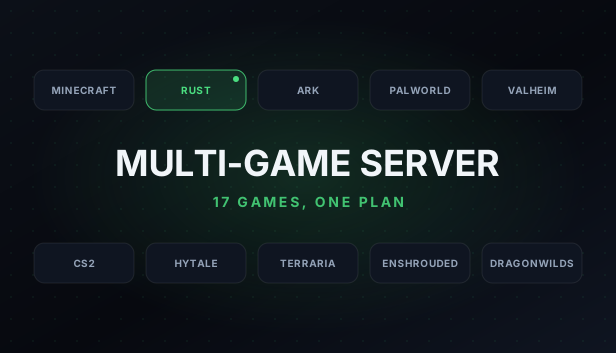
Multi-Game Server
Multi-Game Server Hosting
One plan that runs any of 17 games we host, from Minecraft and Terraria to Rust, ARK, Palworld and Counter-Strike 2. Pick a starting game at checkout and switch to another from the panel when your group wants something new. A switch wipes the server and installs the new game, while your address, plan and backups stay the same.
About Multi-Game server hosting
A normal game server is set up for one game. A Multi-Game Server is set up for whichever of our 17 games you want to play right now. You choose the RAM and the location, pick a starting game at checkout, and when your group moves on you open the server in the panel, go to Change game and pick the next one. The switch stops the server, deletes every file on it and installs the new game with the ports it needs, so download or back up anything you want to keep first; the panel asks you to tick two boxes confirming that before it starts. Your address, plan and backups stay the same, and you can switch up to 6 times in 24 hours. Plans start at 12GB, enough for every game on the list, even ARK: Survival Ascended, and you can add RAM up to 24GB whenever you need more room.
Multi-Game server plans and prices
Every plan is the same Multi-Game server with more memory. Choose your RAM and location at checkout.
| RAM | Price |
|---|---|
| 12GB | $24.99 /mo |
| 14GB | $28.99 /mo |
| 16GB | $32.99 /mo |
| 20GB | $40.99 /mo |
| 24GB | $48.99 /mo |
Change your RAM at any time from the client area and only pay the difference for the rest of your billing period.
Not sure how much RAM you need? Read our guide Configure & OrderServer locations
Pick the location closest to most of your players at checkout. Every location costs the same.
- Dallas, United States
- Limburg, Germany
- Gravelines, France
- Warsaw, Poland
- Sydney, Australia
Key Features
What's Included
Common Questions
Guides for Multi-Game Server
Step-by-step help from the GuavaHost Help Center: setup, settings, mods and fixes.
- Switching Games on a Multi-Game Server
- Backups: creating, restoring and scheduling
- Changing Your Server RAM Up or Down
- Finding Your Server IP and Port (and Sharing It With Friends)
- Panel tour: Overview, Console, Files, Backups and Settings
- Uploading files with SFTP
You might also like

Ready to start your Multi-Game server?
Instant setup. Enterprise hardware. 48-hour money-back guarantee.