GuavaHost
Language & currency
Client AreaGame Panel Toggle navigation
Games All Games
Minecraft JavaMinecraft BedrockMinecraft GeyserRustRuneScape: DragonwildsPalworldValheimValheim + BepInExARK: Survival EvolvedARK: Survival AscendedProject ZomboidEnshroudedDon't Starve TogetherCounter-Strike 2TerrariatModLoaderHytaleMulti-Game ServerDiscord Bot Hosting
Navigation PricingReviewsHelp CenterSupport Company About UsFAQRefer to earnSLATerms of ServicePrivacy Policy
Language & currency
Client AreaGame Panel
HomeGames Project Zomboid
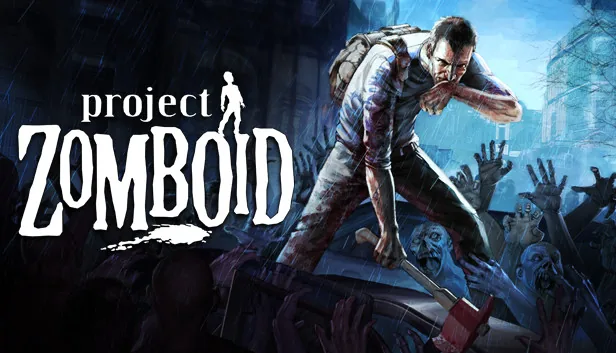
Project Zomboid
Survival Popular

Project Zomboid

Project Zomboid Server Hosting

Host Project Zomboid dedicated servers with Steam Workshop mod support, fully configurable sandbox settings, and the enterprise hardware to keep your survivor group playing without interruption. Configure everything from zombie population to loot rarity to skill progression.

Instant setup
DDoS protected
99.9% uptime
24/7 support

About Project Zomboid server hosting

Project Zomboid's sandbox survival experience shines on dedicated servers. Configure every aspect of the zombie apocalypse — population density, zombie behaviour, loot spawns, skill XP rates, day length, weather patterns, and hundreds more settings. Steam Workshop mods install automatically by adding mod IDs to your configuration. Our hardware ensures smooth performance even with large maps, many players, and complex mod stacks.

Key Features

Workshop Mods
Install thousands of mods from the Steam Workshop — just add the mod IDs to your config.
Sandbox Settings
Full control over zombie population, loot, skills, weather, infections, and hundreds of parameters.
DDoS Protected
Your survivor camp stays online through any attack.
Global Locations
Servers in Dallas, Limburg, Gravelines, Warsaw and Sydney for low-latency play.
Instant Setup
PZ server live within seconds of ordering.
24/7 Support
Expert PZ support — mods, sandbox settings, and troubleshooting.

What's Included

Steam Workshop Mod Support
Full Sandbox Setting Control
Automatic World Backups
Admin Tools & Controls
NVMe SSD Storage
DDoS Protection Included
Pterodactyl Control Panel
Instant Deployment

Common Questions

Can I install Steam Workshop mods on my Project Zomboid server?
Yes. Add Workshop mod IDs to your server configuration and they will be downloaded automatically on server startup. Clients will also auto-download required mods when connecting.
How configurable are the sandbox settings?
Extremely. PZ has hundreds of sandbox parameters covering zombie behaviour, loot tables, skill progression, infection settings, weather, vehicle spawns, and much more. All editable from config files.
How much RAM does a Project Zomboid server need?
A vanilla server needs about 2 to 3GB for 2 to 4 players, 4 to 6GB for 6 to 8 players and 6 to 8GB for 10 to 16 players. Large map mods are the heaviest, and a big modlist can need 8 to 12GB or more.
Can I move my existing Project Zomboid world to GuavaHost?
Yes. Upload both the world folder from Saves/Multiplayer and the matching .db file from the db folder over SFTP, keep the same server name and mod list, then start the server. Our team can also do the move for you.
View all FAQ

Guides for Project Zomboid

Step-by-step help from the GuavaHost Help Center: setup, settings, mods and fixes.

Browse all Project Zomboid guides

You might also like

Ready to start your Project Zomboid server?

Instant setup. Enterprise hardware. 48-hour money-back guarantee.